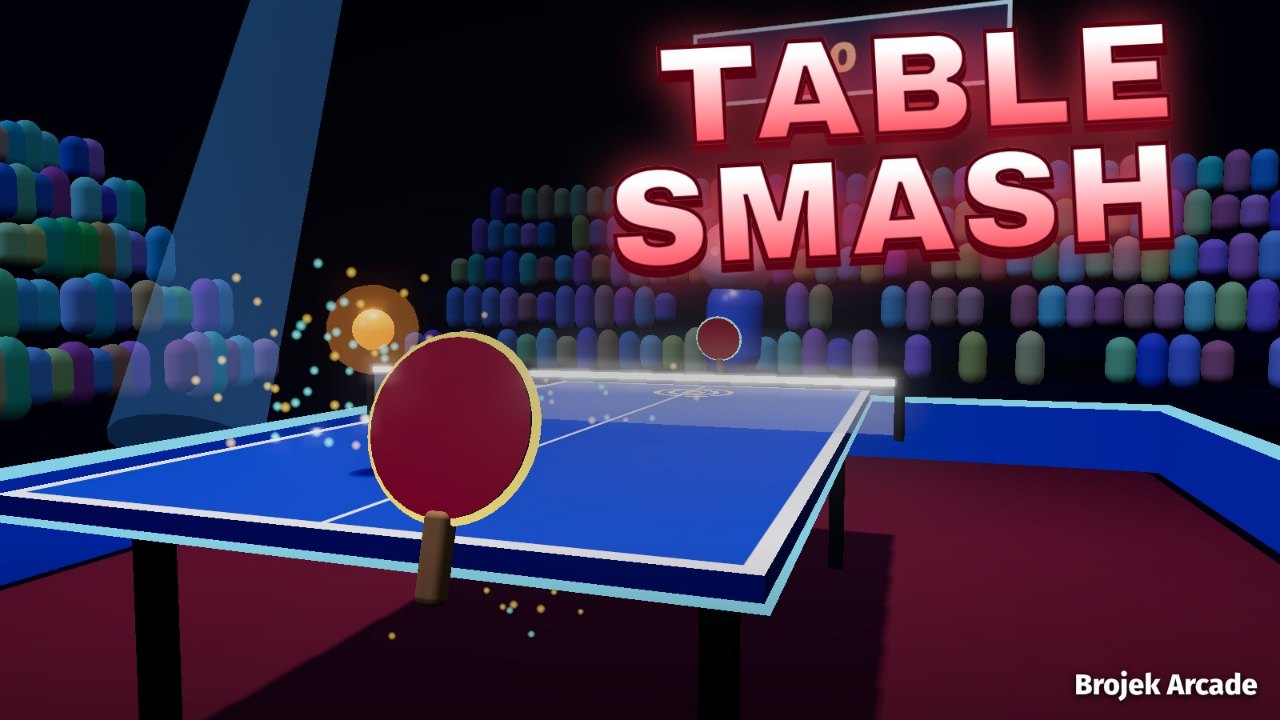
About the game
Table Smash is a 3D table tennis (ping pong) game in a lit-up arena with a cheering crowd, where you face a friendly robot that never gets tired. The controls are simple: you only move the paddle left and right — with the mouse, by dragging your finger or with the ◀ ▶ buttons — and it moves up and down to the ball by itself. If the paddle is behind the ball, the ball goes back over the net.
The trick is where the ball hits the paddle: dead center gives a fast “perfect” shot, while the edge sends the ball to the corner of the table, where the robot struggles. Each return is worth more the longer the rally, hitting the glowing target on the robot’s side gives a bonus, and making the robot miss is worth a lot. Over time the robot gets faster and the shots get harder. You get three balls per game, which usually lasts one to three minutes, and your best score is saved.
How to play
- Press Play and wait for the robot’s serve.
- Move the paddle sideways so it is behind the ball after it bounces on your side.
- Use the edge of the paddle to send the ball to the corners.
- Aim for the yellow target on the robot’s side for +25.
- Make the robot miss for +50 and don’t let any ball past you — you only have 3.
Controls
💻 Computer
- Mouse: move the paddle
- A / D or ◀ ▶: move the paddle
- Esc or P: pause
📱 Phone
- Drag your finger anywhere on the screen
- Or hold the big ◀ and ▶ buttons
- The paddle moves up and down by itself
🥽 Meta Quest (VR)
- In the Meta Quest browser a 🥽 VR button appears
- You stand at the end of a life-size table
- Your right hand is the paddle: just reach for the ball
Tips
- Watch the ball’s shadow on the table: it shows where the ball will bounce.
- Bring the paddle back to the middle after every hit.
- Shots into the corners make the robot miss the most.
- Hitting the center of the paddle gives “Perfect!”, a faster ball and +5 points.
- Long rallies earn more points per return — patience sets records.