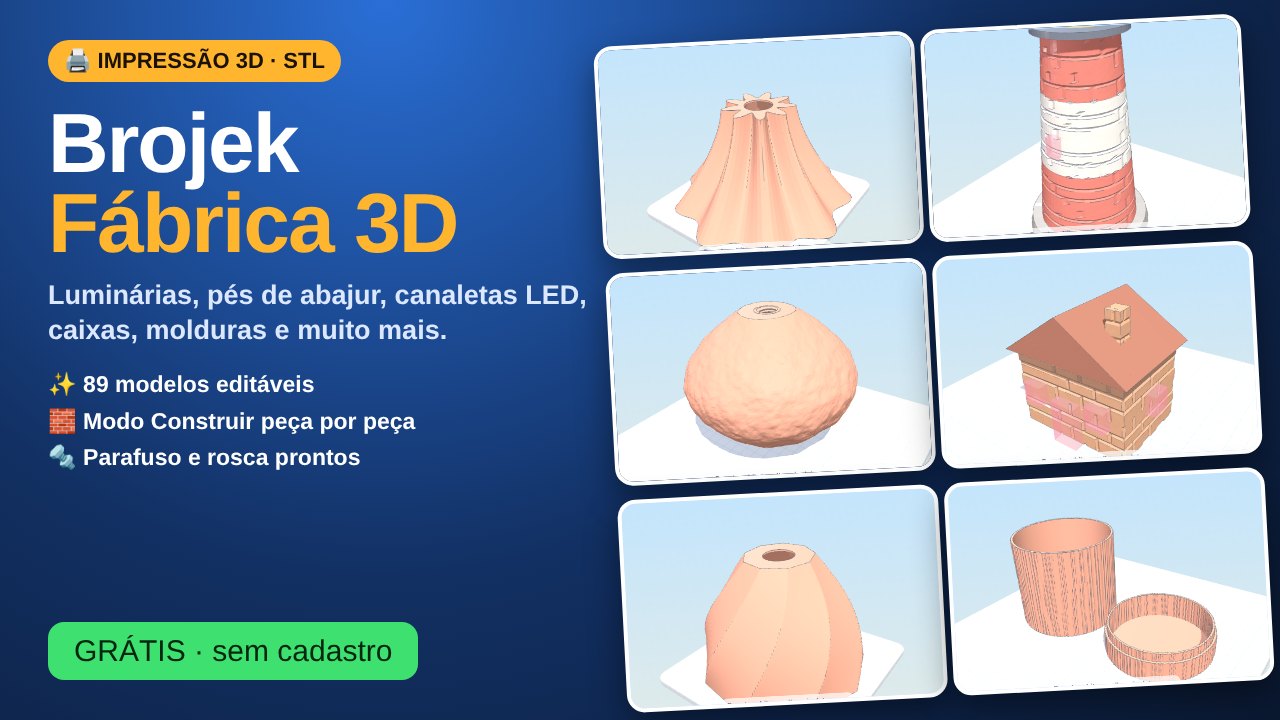
Crie luminárias, pés de abajur com rosca, canaletas de LED, caixas, molduras e muito mais e baixe o arquivo para imprimir em 3D. 89 modelos editáveis.
About the game
Brojek 3D Factory is a free tool for making 3D-printable parts without knowing how to model. Instead of starting from scratch in complicated software, you pick one of 89 ready-made models — pendant lamps, lampshades, threaded lamp bases, wall lights, LED channels (straight, corner, cove or round), boxes, plant pots, vases, desk organisers, hooks, handles, stands and frames — and adjust the measurements in millimetres with sliders. The part updates in 3D instantly, so you see the result before you print.
You can add stone, wood, brick, fabric, scale or concrete textures, make bolts, nuts and tubes with real threads, and choose how many copies you want. Large frames, up to 1 m × 1 m, are split into parts that slot together. There's a helper that works out the right base for your lampshade, and Build Mode lets you put objects together piece by piece like a construction toy. When you're done, download the file as STL, 3MF, OBJ, PLY or GLB and open it in your printer's slicer.
How to play
- Open 3D Factory in your computer or phone browser.
- Tap the model list at the bottom and choose the part you want to make.
- Move the sliders to set width, height, thickness and other details in mm.
- Rotate and zoom to check everything; add a texture or change the number of copies if you like.
- Press Download, pick a format (STL, 3MF, OBJ, PLY or GLB) and open the file in your printer's software.
Controls
💻 Computer
- Click and drag to rotate the part
- Mouse wheel: zoom in and out
- Drag the sliders to change the measurements
- Download button: save the file for printing
📱 Phone
- Drag one finger to rotate the part
- Pinch with two fingers to zoom
- Touch and drag the sliders to change the sizes
🥽 Meta Quest (VR)
- 3D Factory is a screen tool, made for computers and phones
- In the Meta Quest browser it opens in a normal window and works with the controller laser
- To download and print, it's easiest to use the computer that has your printer software
Tips
- Measure the real thing first (the bulb socket, the width of your LED strip, the wall) and type in exact sizes.
- For threads, print a small test piece first: every printer has slightly different tolerances.
- Choose 3MF or STL for printing; GLB and OBJ are better for viewing or using the model in other programs.
- For large frames, print all parts in the same material and colour so the joins stay discreet.
- Closed lampshades get warm: use an LED bulb, which stays cool.